PLCWorkbench · Local 1.0 release
Make every scan explainable.
An offline logic simulator with explicit controller state, repeatable scans, and visible faults.
The problem
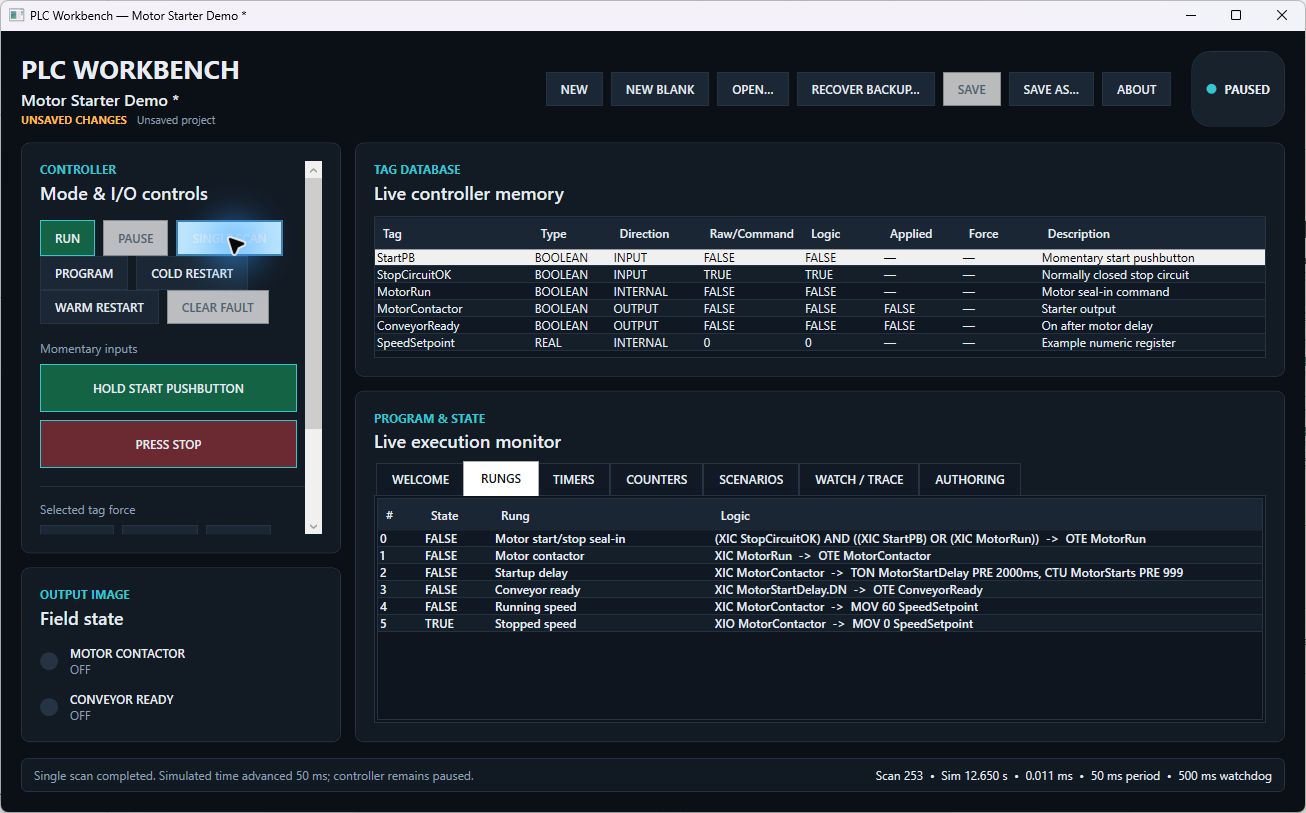
When logic behaves unexpectedly, a changing input or an unclear execution order can make the problem difficult to reproduce. PLCWorkbench makes that order explicit, so a learner or developer can step through the behavior.
Decisions that matter
A deterministic scan
Inputs are sampled, logic executes in order, and simulated outputs are committed. Single-scan execution makes the same transition easier to inspect.
Separate controller states
Program, Run, Paused, and Faulted modes make the operating context visible. Restart behavior and retained values are deliberate parts of the model.
Inspect the reason, not just the result
Typed tags, timers, counters, forces, scenarios, watches, and traces help explain why a simulated output changed.
Follow the workflow
- Load the built-in motor-starter sample.
- Inspect the input and output tags.
- Run or pause and execute one scan.
- Use watches and traces to explain the change.
What is implemented
The project records an accepted local 1.0 release with bounded same-OS qualification. Its built-in motor-starter sample illustrates seal-in logic and a delayed ready output.
Scope and current limits
Offline vendor-neutral simulation only. No PLC device connection, vendor compatibility, or safety certification is claimed.